
Find clients with Swokei (optional)
Is there a tool that finds businesses with bad websites and writes outreach emails?
Swokei finds local businesses by city and industry, analyzes their websites when you run the analysis, writes a personalized email from what it found and sends from your mailbox, while you handle replies, meetings and the work.
What you will be able to do
Decide whether a tool like Swokei fits your outreach, and if it does, run a first small campaign: find local businesses by city and industry, run the website analysis, review what it found, edit the email, connect your mailbox, start the campaign and handle replies yourself. This lesson is optional. Everything else in this course works without Swokei.
Before you start
- A business email account on your own domain that you are allowed to send from.
- A free Swokei account if you want to follow along. You can create one here.
Why this matters
Research by hand is the best way to learn, but it takes ten or fifteen minutes per business: fine for ten a day, slow for a hundred. Swokei, built by the team behind this academy, speeds up that part: it finds local businesses by city and industry, lets you import your own leads, analyzes each website when you run the analysis (design, SEO, speed and mobile), writes a personalized email from what it found, sends from your own connected mailbox and sorts replies in an inbox.
It does not book meetings, close sales or do the website work. When an interested lead replies, you answer, book the call and deliver the project yourself.
Step by step
Tick each step as you do it. Your ticks are saved in this browser.
Decide if you need it yet
If you are still learning to spot website problems, do at least twenty prospects by hand first with the prospect qualification worksheet. You need that eye to judge any tool's output.
Create an account and a campaign
Sign up on the free plan, start a campaign and pick the mode where Swokei reads each website and writes the email. A second mode lets you write the email yourself, useful when leads have no website worth analyzing.
Add leads by city and industry, or import your own
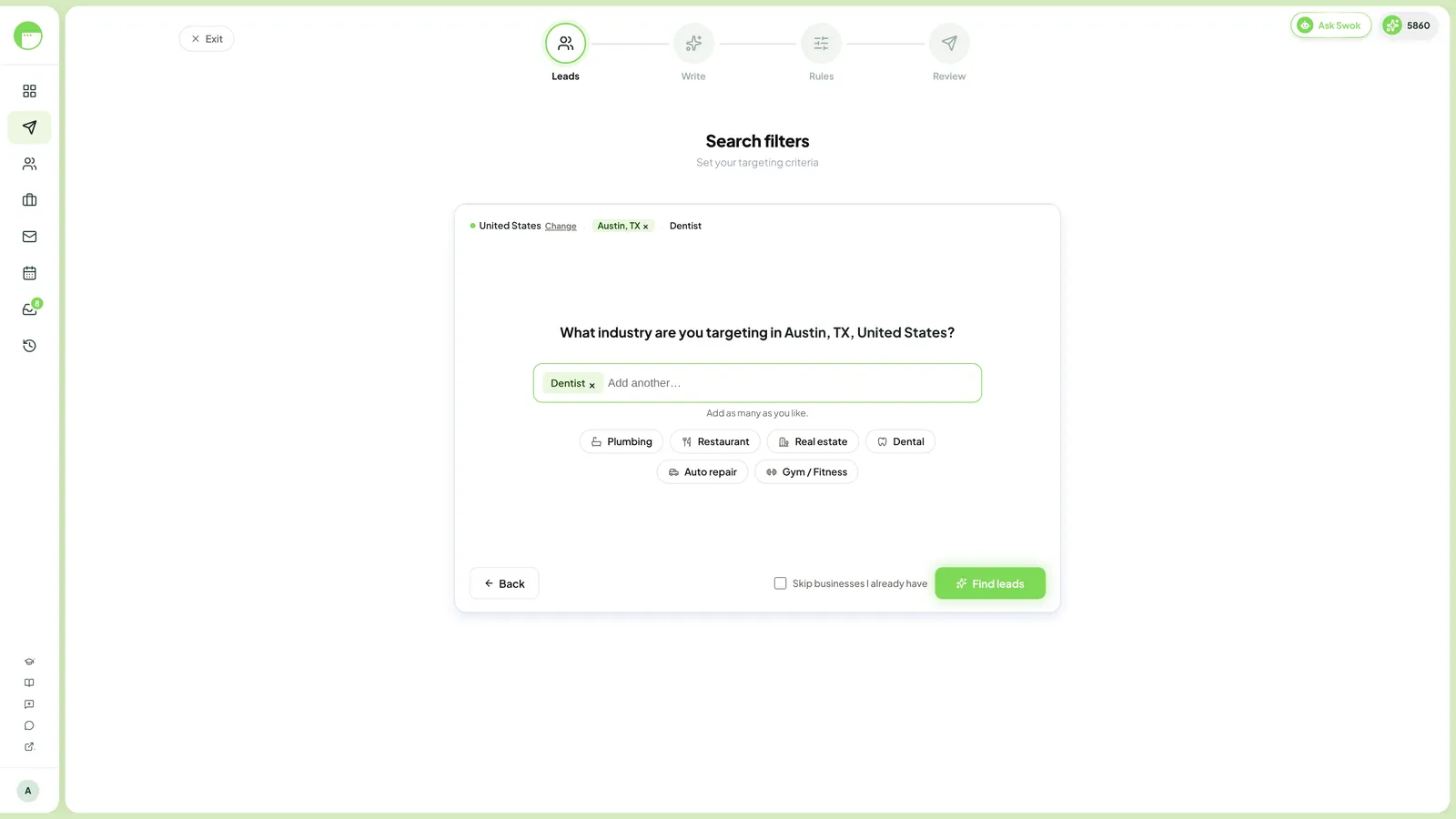
Search your niche and area, for example dental clinics in Austin, or import a list from your own research. Keep the first campaign to about twenty to fifty businesses so you can check every result.
Run the analysis
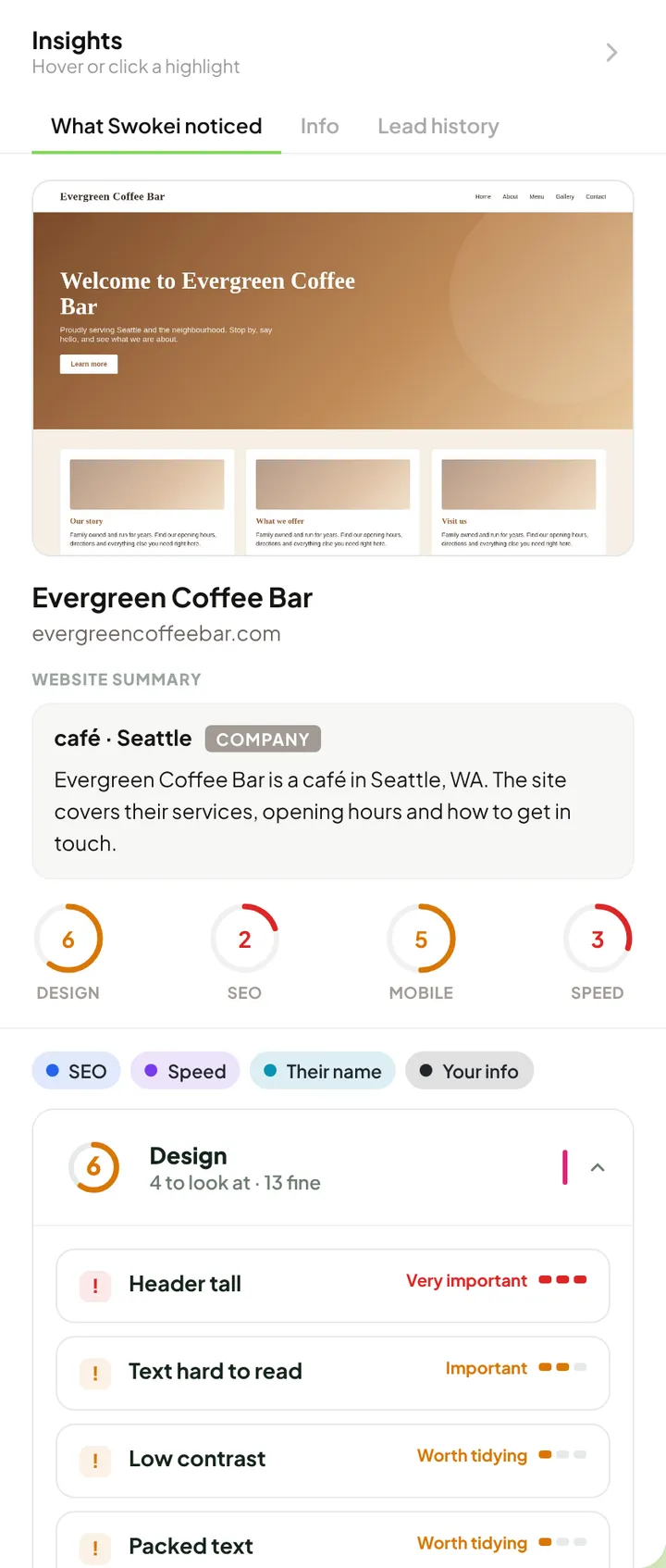
Nothing is analyzed until you start this step. Swokei then opens each website and checks design, SEO, speed and mobile behavior.
Review the insights for every lead
Open a few sites on your phone and confirm the findings match what you see, exactly as with manual research. If a finding looks wrong or does not matter for that business, do not use it.
Edit each email before it goes out
Check the problem is real, the benefit sentence makes no promise, your name and signature are right, and there is a physical address and a clear opt out. Rewrite anything that does not sound like you.
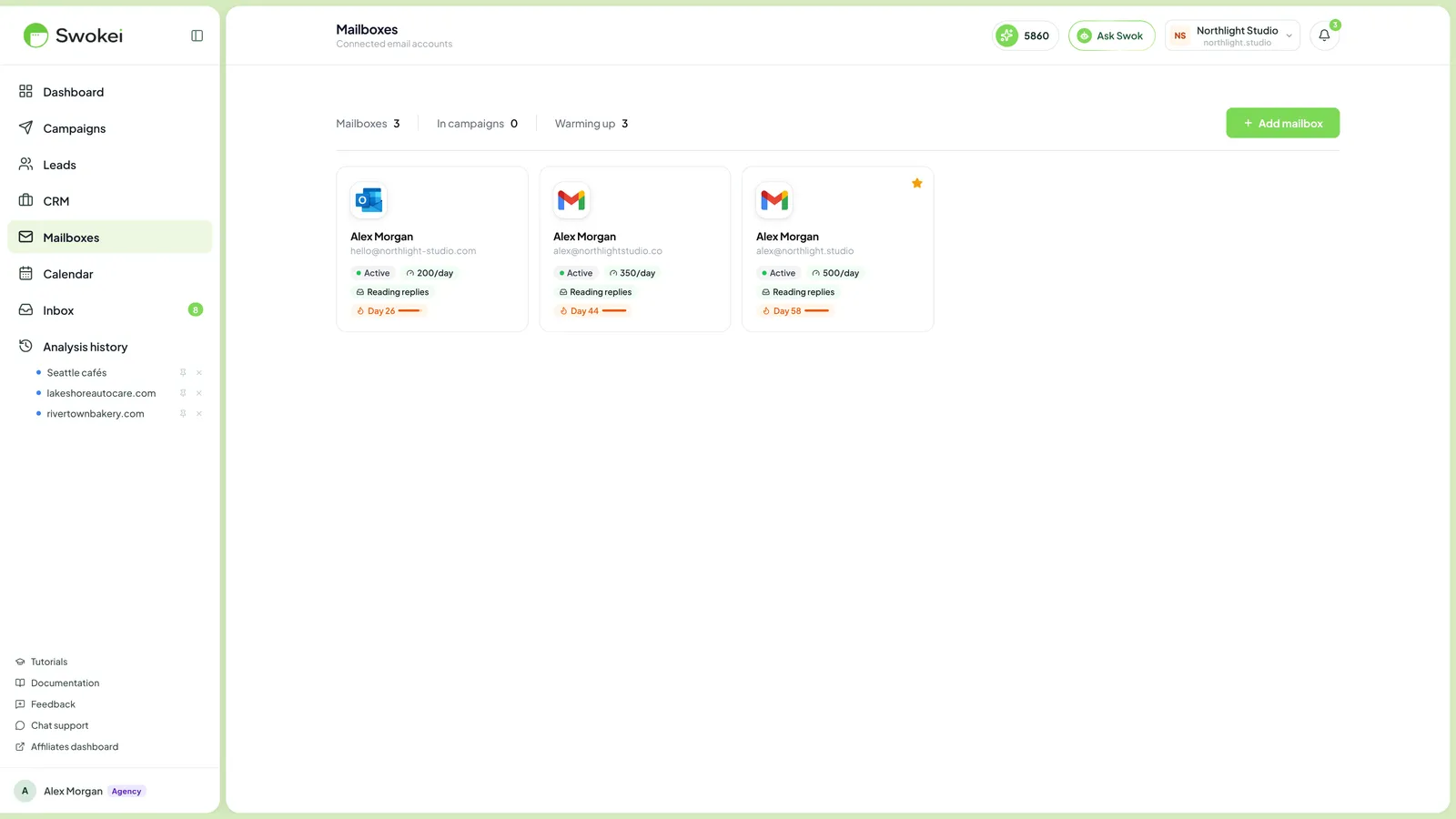
Connect your own mailbox and set sensible sending
Emails send from your connected mailbox, under your name and domain. Start with low daily volume, especially on a new address, and follow the email rules where you and your recipients are (the outreach lesson covers them).
Start the campaign and watch it
Once the emails and sending settings are reviewed, start it. Write and review any follow up steps as carefully as the first email, and check how they behave in the app before you rely on them.
Handle replies in the inbox yourself
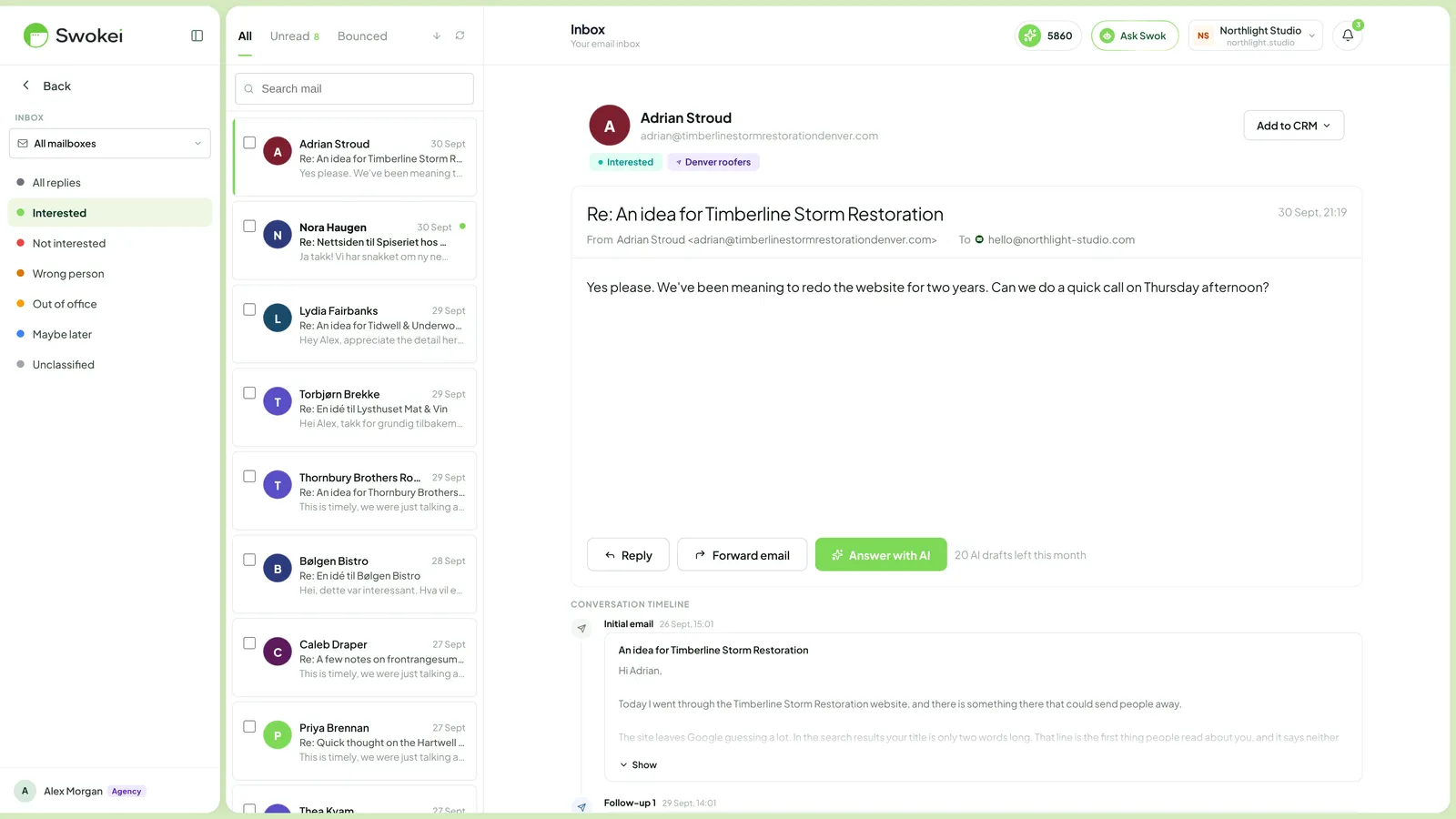
Interested replies are easy to find in the inbox. Answer them personally with the scripts from Book the video meeting. From here it is the same as by hand: book the call, present the draft, price it, close or follow up.
Example
A first small campaign for a designer targeting family dental clinics in Austin. The businesses and findings are illustrative.
First, you find leads. You search for dental clinics in Austin and review the list before adding it, skipping franchises and fresh rebuilds as in the qualification lesson.
Next, you run the analysis and open the insights for each lead. Say one clinic shows a slow mobile load and a booking button that is hard to reach on a phone. You confirm it on your own phone before using it.
Then you review the email Swokei wrote from those findings and edit it until it sounds like you.
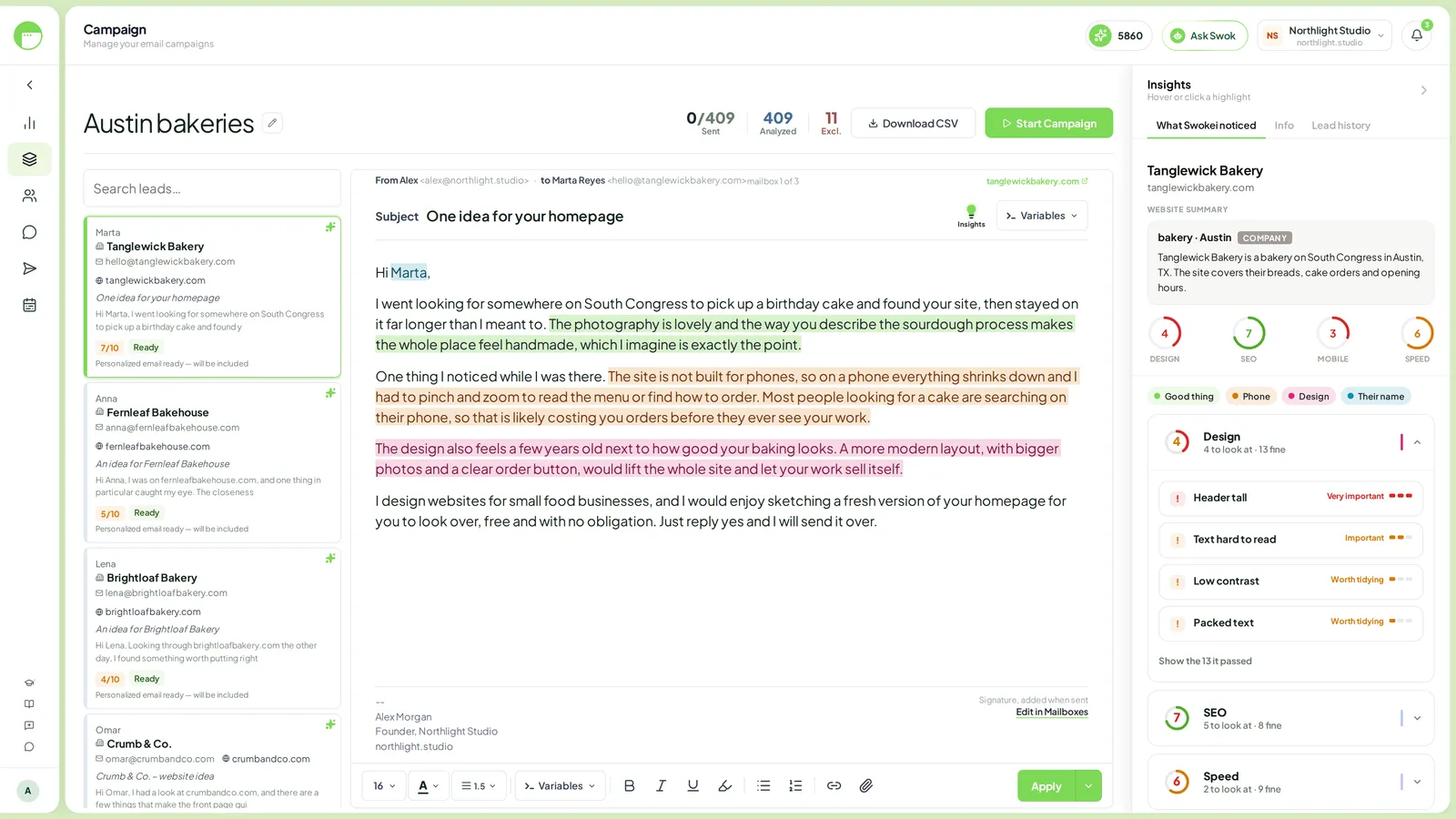
A draft you might start from, and your edits:
Draft:
Hi Dr. Patel, I noticed your homepage takes a while to load on mobile and
the booking button is easy to miss. That likely costs you appointments...

Your edits:
* Add what you saw yourself: "On my phone it took about 7 seconds."
* Keep "likely" and do not add any numbers you cannot back up.
* Make the ask small: "Would a quick sketch of the booking page help?"
* Check signature, physical address and opt out line.
Before starting, you connect the mailbox you will send from and keep daily volume low while it builds a sending history.
When replies arrive, they are sorted in the inbox. You answer the interested ones yourself, offering two times for a short video call.
The draft, meeting, price and close are all you. To see the full flow first, read how Swokei works, and compare plans on the pricing page.
Common mistakes
- Sending without reading. Any tool can get a site wrong or pick a finding that does not matter. Review every email.
- Starting too big. Hundreds of leads from a new mailbox risks deliverability and gives you too much to check.
- Forgetting the rules. Using a tool does not change your duties as the sender. Honor every opt out.
Try it yourself
If you want to try it, create a free account at Swokei and set up a campaign of twenty to fifty businesses in your niche. Run the analysis, then for five leads compare the insights with your own phone check and note where they agree and differ. Edit those five emails until you would be happy to sign them. If you would rather not use a tool, do the same five prospects by hand with the prospect qualification worksheet.
Time: about 30 minutes.
Deliverable: five reviewed, ready to send emails, either way.
Resources
- How Swokei works the full product flow
- Swokei pricing to compare plans, including the free plan
- real outreach email examples to check drafts against
- Write outreach emails that get replies the manual version of this skill
- Book the video meeting what to do with interested replies
Finished this lesson?
Mark it complete to track your progress through the course.
Last reviewed October 18, 2026. Prices, laws and tool terms change, so check current terms before you rely on any figure.