Broken sites won't break your campaign.
When a site is parked, unreachable, or above your quality threshold, Swokei follows the rule you set instead of sending a generic email.
- Quality threshold to filter polished sites out
- Rules for parked, dead, captcha-walled sites
- Skip, send generic, or hold for review
- Set the rules once per campaign
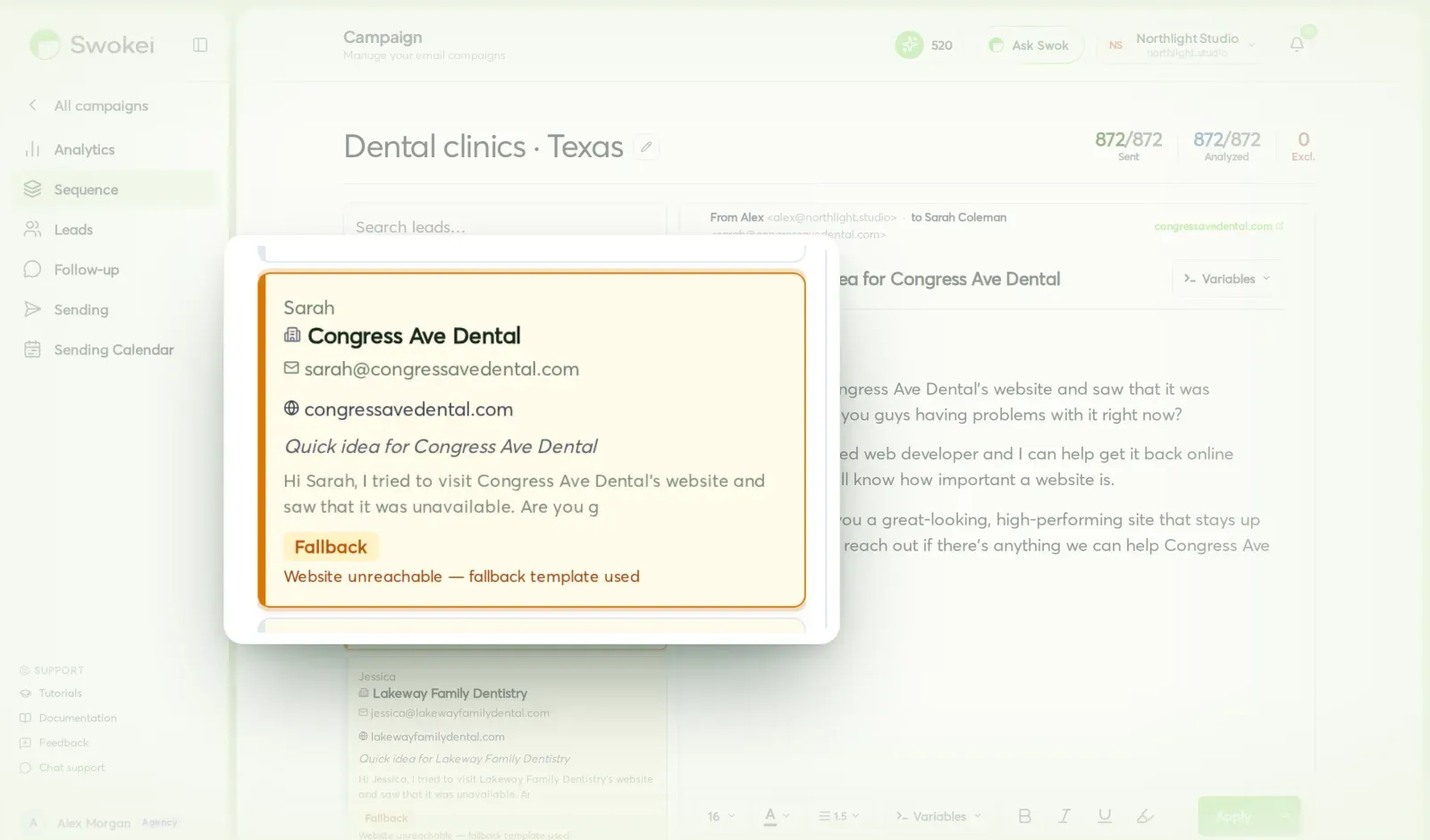
Skip the lead, write a generic fallback, or pause the row for review. You decide once, Swokei handles every edge case the same way after that.
Sites above your score cutoff are too polished to pitch. Swokei excludes them from the campaign so you don't waste a touch.
Parked domains, dead servers, redirects, captcha walls — choose to skip, send a generic note, or hold for review.
Configure the rules per campaign. Swokei applies them the same way to every lead so the campaign stays clean at any volume.
Every kind of broken site has a rule for it.
Real lead lists are messy. Some domains are parked, some sites are gated, some scores are too high. You decide once how each case should behave.
Score cutoff above which a lead is excluded as too polished to pitch a redesign to. Drag the slider, save the rule.
What happens when a site times out, returns 5xx, or just refuses to load. Skip the lead, send a generic note, or hold for review.
Detected automatically when a domain shows a registrar landing page. Most teams skip these — Swokei does it for you by default.
When a site hides behind Cloudflare challenge or a login wall, the analyzer can't see the real page. Choose how to handle it.
When the URL redirects to a parent company's site or an unrelated domain, Swokei flags it so you can re-route or skip.
Anything you set to 'hold' lands in a review queue inside the campaign. Skim, approve, or skip in bulk.
How it works
When you build a Smart Site Outreach campaign, the Rules step lets you set what should happen for each kind of edge case before any analysis runs.
Set the quality threshold for excluded sites, the action for unreachable domains (skip / generic email / hold), and what to do with parked domains, redirects, or captcha walls.
As analysis runs across your list, every lead that triggers a rule gets routed to the right outcome. You don't need to babysit the campaign — the rules do the work.
Anything you set to 'hold' shows up in the campaign's review tab. Skim them, approve the ones worth a generic touch, and the rest stay parked.
In the campaign builder, under the Rules step (right before Start Analysis). Lives only on Smart Site Outreach campaigns since General Outreach skips analysis entirely.
Included free with any paid plan. Setting rules costs nothing — and they actually save you credits by skipping leads that wouldn't have converted.
Agencies that let Swokei do the outreach
The main thing I like is that the emails actually have something relevant to say. Instead of sending the same pitch to everyone, I can mention their design, SEO or mobile experience without doing the research manually.
Great tool. I'd recommend Swokei to any web designer looking to get more web design clients.
We were already doing outreach for our web design company, but most of the time we were guessing what to say. Now we let Swokei analyze business websites, find real issues, and turn them into personalized emails we can still send at scale.
We run a small web design agency and outreach has always been one of those things we know we need to do but never had enough time for. Swokei made it much easier to keep it consistent.
We send far more outreach than before and it's more personal, not less. That combination just didn't exist for us until this.
One of my employees kept telling me to give Swokei a try. I was pretty skeptical at first, but after using it for a while, it quickly became part of our daily outreach.
Ready to take control of your outreach?

Reads every prospect's site and writes the outreach that lands you the work.