Your domain. Your reputation. Your replies.
Connect Gmail, Outlook, or any SMTP provider. Emails go from your real address with SPF, DKIM, and DMARC aligned.
- Gmail, Outlook, Office 365, custom SMTP
- SPF, DKIM, DMARC aligned out of the box
- Throttle, daily caps, gradual warm-up
- Live tracking on every send
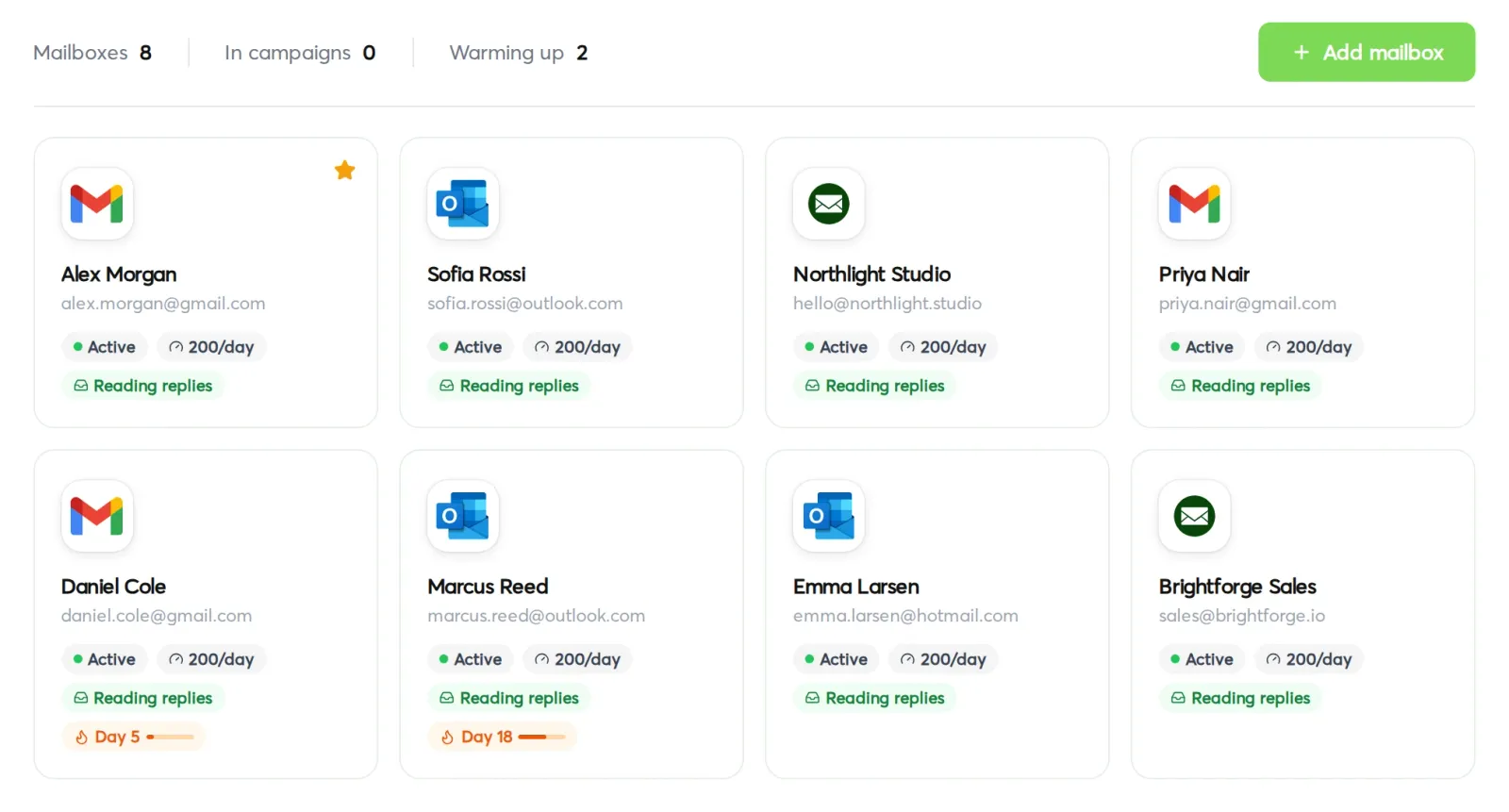
Tracking, scheduling, throttling, and follow-ups are built in. You stay in control of the inbox and the relationship.
Gmail, Outlook, Office 365, or custom SMTP. Connect once. Send from any of your mailboxes per campaign.
SPF, DKIM, DMARC alignment, gradual warm-up, throttle controls, and per-mailbox daily caps so you don't burn your domain.
Opens, clicks, replies, bounces, classification — every signal flows back into the campaign view in real time.
Every send control, in plain sight.
Swokei doesn't blast. Every campaign has the controls a deliverability-minded sender expects, plus the visibility to know what's actually landing.
One-click connection with Google or Microsoft. No passwords to manage. Revoke any time from your provider's settings.
Bring any other provider — Postmark, SendGrid, Amazon SES, your own server. Drop in host, port, credentials, done.
On connect, Swokei verifies SPF, DKIM, and DMARC alignment for your domain and warns you if anything's misconfigured.
Set delay between sends, daily caps per mailbox, and overall campaign pacing. Swokei spaces everything to stay under provider limits.
Configure business hours per timezone. Emails only go out during the window you set, regardless of when the campaign launches.
Connect several mailboxes and rotate sends across them within a campaign. Spreads volume so no single mailbox sees suspicious activity.
Pixel and link tracking on every email, with per-recipient breakdown. Toggle off if you'd rather skip the pixel.
Sends, opens, clicks, replies, bounces all stream into the campaign view in real time. No waiting for daily reports.
How it works
OAuth into Gmail, Microsoft 365, or enter your SMTP credentials for any provider. Swokei verifies the connection and runs a deliverability check for SPF, DKIM, and DMARC.
Each campaign sends from the mailbox you assign to it. Multi-client agencies can route campaigns through different mailboxes depending on whose brand they're pitching under.
Configure business hours, daily caps per mailbox, and delay between sends. Swokei paces the campaign so it reads like a human working a list, not a blast.
Every open, click, reply, and bounce gets logged against the lead and the campaign. You see live delivery stats, and replies get auto-classified in the inbox.
Connect mailboxes under Settings → Mailboxes. Pick the sender per campaign in the Sending Options step. Delivery stats live in the Analytics tab of every campaign.
Not included in the free tier — sending is available on any paid plan. Once you're on a paid plan, there's no per-email fee. Send as many as your mailbox caps allow.
Agencies that let Swokei do the outreach
The main thing I like is that the emails actually have something relevant to say. Instead of sending the same pitch to everyone, I can mention their design, SEO or mobile experience without doing the research manually.
Great tool. I'd recommend Swokei to any web designer looking to get more web design clients.
We were already doing outreach for our web design company, but most of the time we were guessing what to say. Now we let Swokei analyze business websites, find real issues, and turn them into personalized emails we can still send at scale.
We run a small web design agency and outreach has always been one of those things we know we need to do but never had enough time for. Swokei made it much easier to keep it consistent.
We send far more outreach than before and it's more personal, not less. That combination just didn't exist for us until this.
One of my employees kept telling me to give Swokei a try. I was pretty skeptical at first, but after using it for a while, it quickly became part of our daily outreach.
Ready to take control of your outreach?

Reads every prospect's site and writes the outreach that lands you the work.