Invite teammates. Share campaigns. Sync inboxes.
Run Swokei as a team. Everyone in one workspace, every campaign, mailbox, and reply visible to the people who need it.
- Unlimited teammates per workspace
- Admin / editor / viewer roles
- Shared campaigns and mailboxes
- Reply assignment and handoff
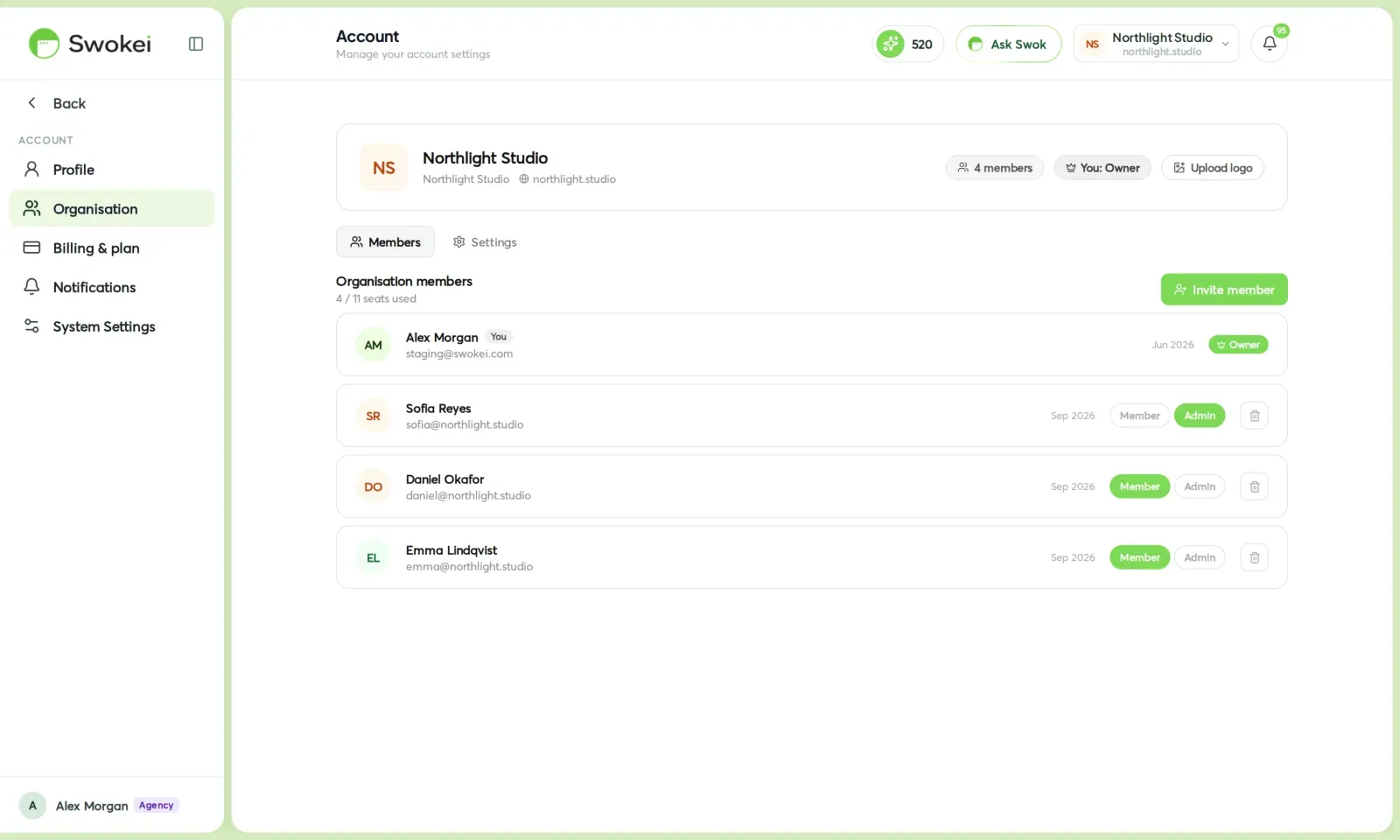
Permissions per teammate, shared lead libraries, assigned replies. Built for agencies running outreach for multiple clients at the same time.
Anyone with access can edit drafts, approve sends, or hand a campaign off mid-flight. No exporting, no email chains.
Admin, editor, viewer. Limit who can connect mailboxes, who can launch campaigns, and who can only read the analytics.
Route incoming replies to the teammate who owns the lead. Auto-assign by campaign or hand-pick per thread.
Built for the way agencies actually work.
Multiple clients, multiple teammates, shared inboxes. The workspace handles the messy reality of a real team without making anyone learn new habits.
No per-seat fee. Add five people or fifty, the workspace cost stays the same.
Admin (manages billing, mailboxes, roles), Editor (builds and launches campaigns), Viewer (reads everything, changes nothing).
Connect a mailbox once, available to anyone in the workspace. No sharing passwords, no re-OAuth per teammate.
Save lead lists to the workspace library. Anyone can pull from them when starting a new campaign.
Assign a campaign to a different teammate mid-build. They pick up where you left off, drafts and all.
Route incoming replies by campaign, by mailbox, or hand-pick per thread. The right teammate sees the right inbox.
See who did what — campaign launched by whom, reply replied to by whom, mailbox connected by whom.
Run one workspace per client if you want full separation. Switch between them with one click.
How it works
Workspaces are free to create. Send invites by email and assign each teammate a role on the way in.
Admins manage billing, mailboxes, and roles. Editors can build and launch campaigns. Viewers can read everything but can't change anything.
Everything inside the workspace is shared by default. Anyone with the right role can pick up a campaign mid-build, swap a mailbox in, or pull leads from the shared library.
Configure auto-assign rules per campaign or hand-pick a teammate per thread. The right person sees the right reply, no inbox chaos.
Manage your workspace from Settings → Workspace. Roles and invites live there. Per-campaign sharing settings live in the campaign's Settings tab.
Included free with any paid plan, including unlimited teammates. No per-seat fee — pay once for the workspace and add as many people as you need.
Agencies that let Swokei do the outreach
The main thing I like is that the emails actually have something relevant to say. Instead of sending the same pitch to everyone, I can mention their design, SEO or mobile experience without doing the research manually.
Great tool. I'd recommend Swokei to any web designer looking to get more web design clients.
We were already doing outreach for our web design company, but most of the time we were guessing what to say. Now we let Swokei analyze business websites, find real issues, and turn them into personalized emails we can still send at scale.
We run a small web design agency and outreach has always been one of those things we know we need to do but never had enough time for. Swokei made it much easier to keep it consistent.
We send far more outreach than before and it's more personal, not less. That combination just didn't exist for us until this.
One of my employees kept telling me to give Swokei a try. I was pretty skeptical at first, but after using it for a while, it quickly became part of our daily outreach.
Ready to take control of your outreach?

Reads every prospect's site and writes the outreach that lands you the work.