The reply usually comes on the third email.
Add follow-up steps that send on their own schedule, in the same thread, and stop the moment someone replies.
- As many steps as you want
- Delays from one day to custom
- Sends in the same thread
- Stops on reply, automatically
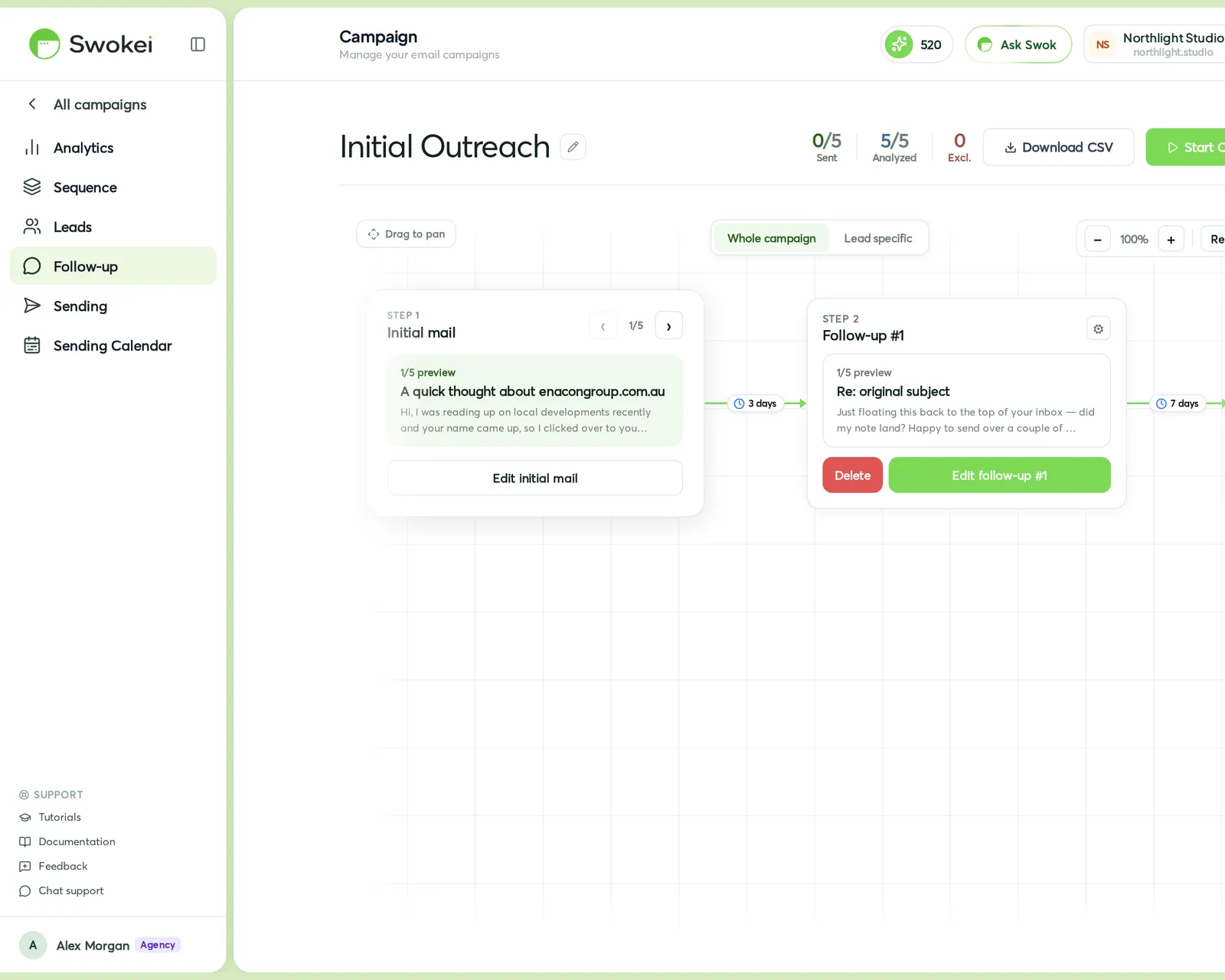
Most replies come from the follow-up, not the first email. Swokei sends them for you, timed off the last message each lead received, and knows to go quiet the moment they answer.
Each step waits a set number of days after the previous email that lead actually received — so two same-length delays never collapse onto one day.
Leave the subject blank and the follow-up lands as a reply in the original thread. Give it a subject to start a new one.
Set a step to pause on reply and Swokei checks for an answer before every send, skipping the rest once they respond.
Follow-ups that behave like a person would.
Enough control to run a real sequence, without babysitting a single send.
Build a two-touch nudge or a long sequence — there's no cap on how many follow-ups a campaign can have.
One, three, seven, ten or fourteen days, or type your own number of days between steps.
A blank subject sends as a reply in the same conversation, so it reads like a natural bump, not a new blast.
Or continue — you decide per step whether an answer stops the sequence.
Skip a step for one lead, add a step only they get, or rewrite a step's wording just for them.
Every follow-up sends from the same inbox as the campaign, on the send window you set.
How it works
Inside a campaign, next to Sequence and Sending.
Pick how many days to wait and write the message — the subject is optional.
Pause the sequence on reply, or keep it running.
Each step goes out on time, in-thread, and stops for anyone who's already answered.
The Follow-ups tab inside any campaign.
Follow-ups cost no credits. Sending them uses your connected mailbox, on any paid plan.
Agencies that let Swokei do the outreach
The main thing I like is that the emails actually have something relevant to say. Instead of sending the same pitch to everyone, I can mention their design, SEO or mobile experience without doing the research manually.
Great tool. I'd recommend Swokei to any web designer looking to get more web design clients.
We were already doing outreach for our web design company, but most of the time we were guessing what to say. Now we let Swokei analyze business websites, find real issues, and turn them into personalized emails we can still send at scale.
We run a small web design agency and outreach has always been one of those things we know we need to do but never had enough time for. Swokei made it much easier to keep it consistent.
We send far more outreach than before and it's more personal, not less. That combination just didn't exist for us until this.
One of my employees kept telling me to give Swokei a try. I was pretty skeptical at first, but after using it for a while, it quickly became part of our daily outreach.
Ready to take control of your outreach?

Reads every prospect's site and writes the outreach that lands you the work.