Track every prospect from cold lead to closed deal.
A built-in CRM that picks up where the campaign ends. Pipeline stages, notes, deal value, follow-up tasks, all linked to the original outreach.
- Custom pipeline stages per workspace
- Replies turn into deals automatically
- Tasks, notes, files attached to every deal
- Forecast revenue, weighted by stage
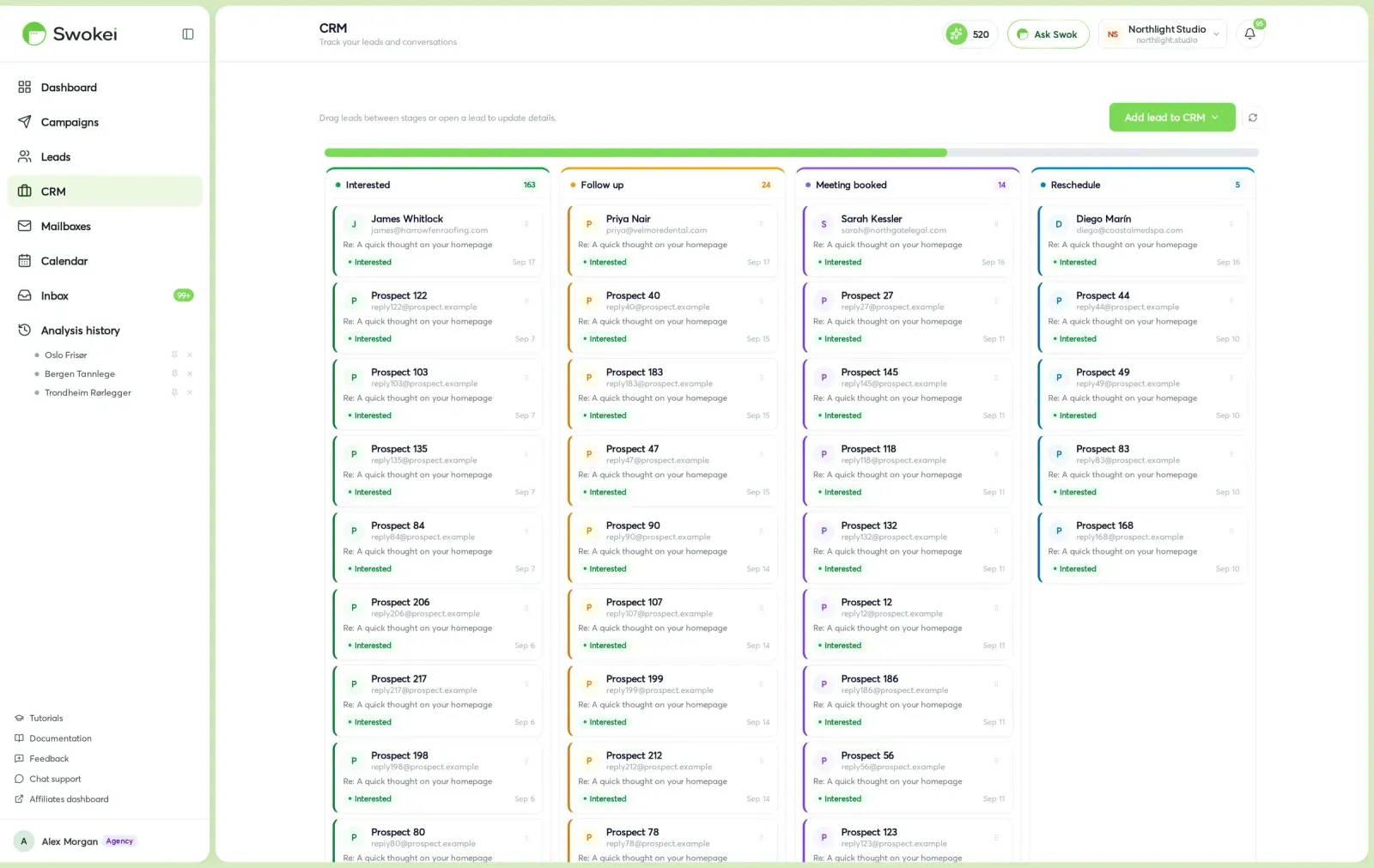
No exporting to a separate tool. Replies flow into deals automatically and the deal carries the email history with it.
Drag-and-drop board with custom stages per workspace. New, qualified, demo booked, proposal sent, won, lost.
When a prospect responds positively, Swokei creates a deal automatically with the full email history attached.
Log calls, set next-touch reminders, attach files, track deal value. Everything one click away from the original outreach.
A real CRM, not a stripped-down extension.
Pipeline, deals, tasks, notes, forecasts. Everything you'd expect from a dedicated CRM, sitting next to the outreach that produced it.
Rename, reorder, add or remove pipeline stages per workspace. Default is New → Qualified → Demo → Proposal → Won / Lost.
Replies that get classified as Interested in the inbox spawn a deal in the New column with the full email history attached.
Move deals between stages by dragging their cards. Each card shows value, next-touch task, last activity, and the campaign that sourced it.
Add tasks against any deal, with due dates and assignees. Get a daily digest of what's due so nothing slips.
Log call notes, attach proposals, paste meeting recaps. Everything stays attached to the deal and the lead.
Set a value per deal. Pipeline view shows total weighted forecast by stage so you can see what's likely to close this month.
See deals by the campaign that sourced them. Useful for measuring which outreach actually drives revenue.
Win rate by stage, average days-to-close, top-converting campaigns. The numbers you need for QBRs without exporting to a spreadsheet.
How it works
Open the CRM tab and define your stages. Default is New, Qualified, Demo booked, Proposal sent, Won, Lost — but you can rename, reorder, or add custom stages per workspace.
When the inbox classifies a reply as Interested, Swokei creates a deal in the New column with the lead's info, the campaign source, and the full email history attached.
Drag deals between stages on the board. Each card shows value, next-touch task, last activity, and the original campaign — so you always know what to do next.
Add notes, log calls, attach files, set reminders. Everything stays attached to the deal and the lead, so handoffs and follow-ups are clean.
The CRM dashboard shows total pipeline value, weighted forecast by stage, win rate, and average days-to-close. Filter by campaign or teammate to see what's working.
In the main left navigation under CRM. Replies that get classified as Interested in the inbox auto-create a deal — you'll see them appear in the New column without lifting a finger.
Included free with any paid plan. Unlimited deals, unlimited stages, no add-on fee. The CRM is a first-class part of Swokei, not a paid extension.
Agencies that let Swokei do the outreach
The main thing I like is that the emails actually have something relevant to say. Instead of sending the same pitch to everyone, I can mention their design, SEO or mobile experience without doing the research manually.
Great tool. I'd recommend Swokei to any web designer looking to get more web design clients.
We were already doing outreach for our web design company, but most of the time we were guessing what to say. Now we let Swokei analyze business websites, find real issues, and turn them into personalized emails we can still send at scale.
We run a small web design agency and outreach has always been one of those things we know we need to do but never had enough time for. Swokei made it much easier to keep it consistent.
We send far more outreach than before and it's more personal, not less. That combination just didn't exist for us until this.
One of my employees kept telling me to give Swokei a try. I was pretty skeptical at first, but after using it for a while, it quickly became part of our daily outreach.
Ready to take control of your outreach?

Reads every prospect's site and writes the outreach that lands you the work.