Write in your prospect's language. Run Swokei in yours.
Pick from 13 languages per campaign and every email is written native, not machine-translated. The app itself runs in 12 languages too.
- 13 languages for outreach, chosen per campaign
- Written native, never machine-translated
- The whole interface in 12 languages
- Switch either one in a click
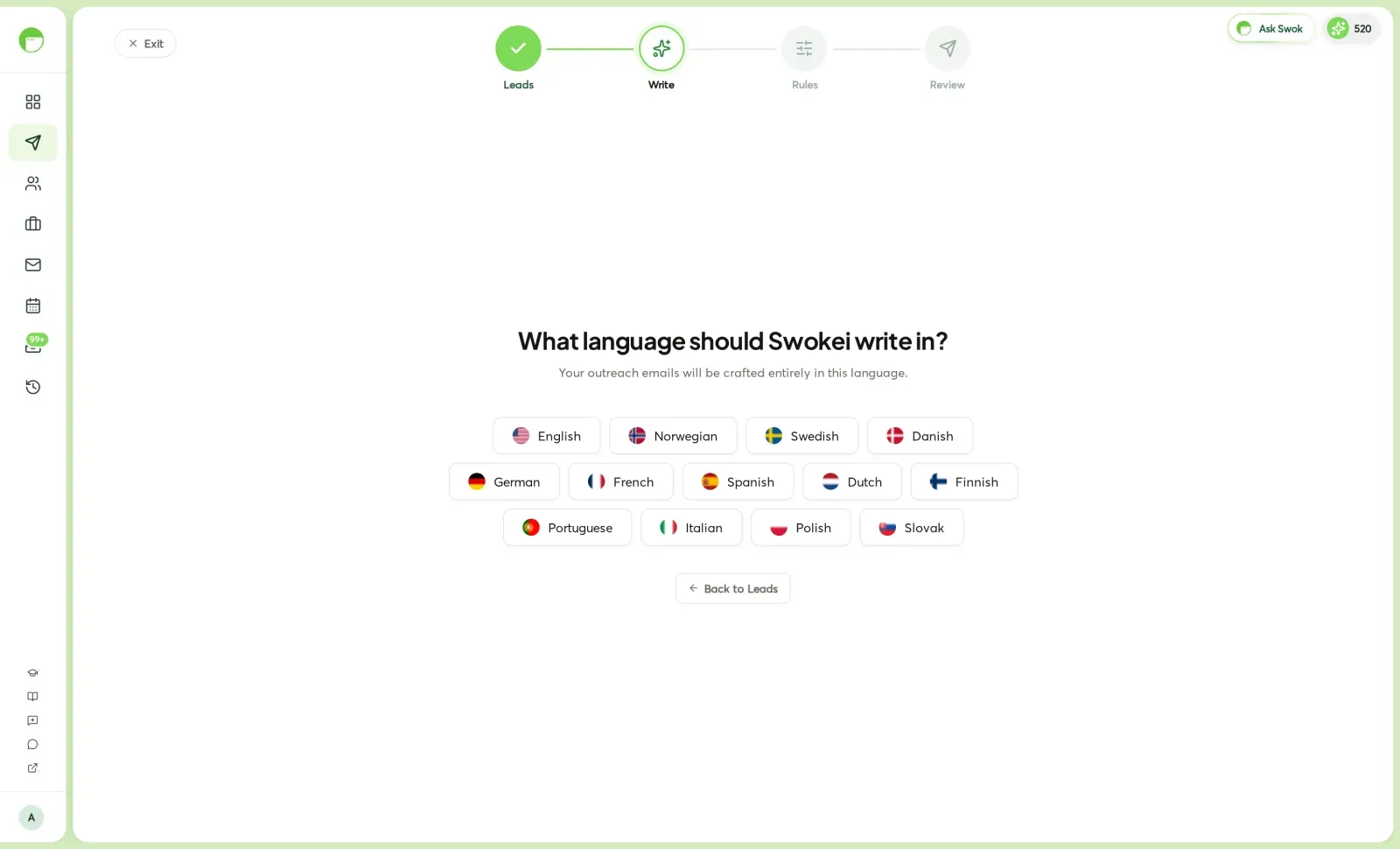
Swokei doesn't translate an English email — it writes the email in the language you pick, from scratch, so it reads like a native wrote it. And the product speaks your team's language too.
The writer generates the subject and body directly in the chosen language. No English draft run through a translator, no stiff phrasing.
Set it once in the Write step and every draft in that campaign is written in it. Run a Norwegian campaign and a German one side by side.
The whole interface — menus, buttons, the campaign wizard — switches between 12 languages from your account, so the tool isn't only for English speakers.
Every language Swokei writes and speaks.
One list for outreach, one for the interface. Pick a writing language per campaign, and set the app to whatever your team reads.
English, Norwegian, Swedish, Danish, German, French, Spanish, Dutch, Finnish, Portuguese, Italian, Polish and Slovak. Pick one per campaign.
Each draft is composed directly in the language, not translated after the fact, so tone, idioms and greetings land the way a native reader expects.
English, Norwegian, Swedish, Danish, German, French, Spanish, Dutch, Finnish, Portuguese, Italian and Polish for the app itself.
Different campaigns can target different countries in different languages from the same account. The writing language belongs to the campaign.
Whatever language you write in, the email still cites the real things Swokei found on the lead's site — the language changes, the specificity doesn't.
Choose the writing language in the Write step; change the app language in Account settings. Both stick until you change them.
How it works
In the campaign builder, right after your leads, Swokei asks a single question: what language should it write in?
Choose the language for this campaign. Your outreach emails will be crafted entirely in it — subject and body.
The writer produces each email directly in that language, still referencing the lead's own website by name and the issues it found there.
In Account settings, switch the whole interface to any of 12 languages — independent of what your emails are written in.
The writing language is the Write step of every campaign. The interface language is in Account settings, under System Language.
Included free on every plan. Writing in another language costs nothing extra — it's the same draft, generated in a different language.
Agencies that let Swokei do the outreach
The main thing I like is that the emails actually have something relevant to say. Instead of sending the same pitch to everyone, I can mention their design, SEO or mobile experience without doing the research manually.
Great tool. I'd recommend Swokei to any web designer looking to get more web design clients.
We were already doing outreach for our web design company, but most of the time we were guessing what to say. Now we let Swokei analyze business websites, find real issues, and turn them into personalized emails we can still send at scale.
We run a small web design agency and outreach has always been one of those things we know we need to do but never had enough time for. Swokei made it much easier to keep it consistent.
We send far more outreach than before and it's more personal, not less. That combination just didn't exist for us until this.
One of my employees kept telling me to give Swokei a try. I was pretty skeptical at first, but after using it for a while, it quickly became part of our daily outreach.
Ready to take control of your outreach?

Reads every prospect's site and writes the outreach that lands you the work.