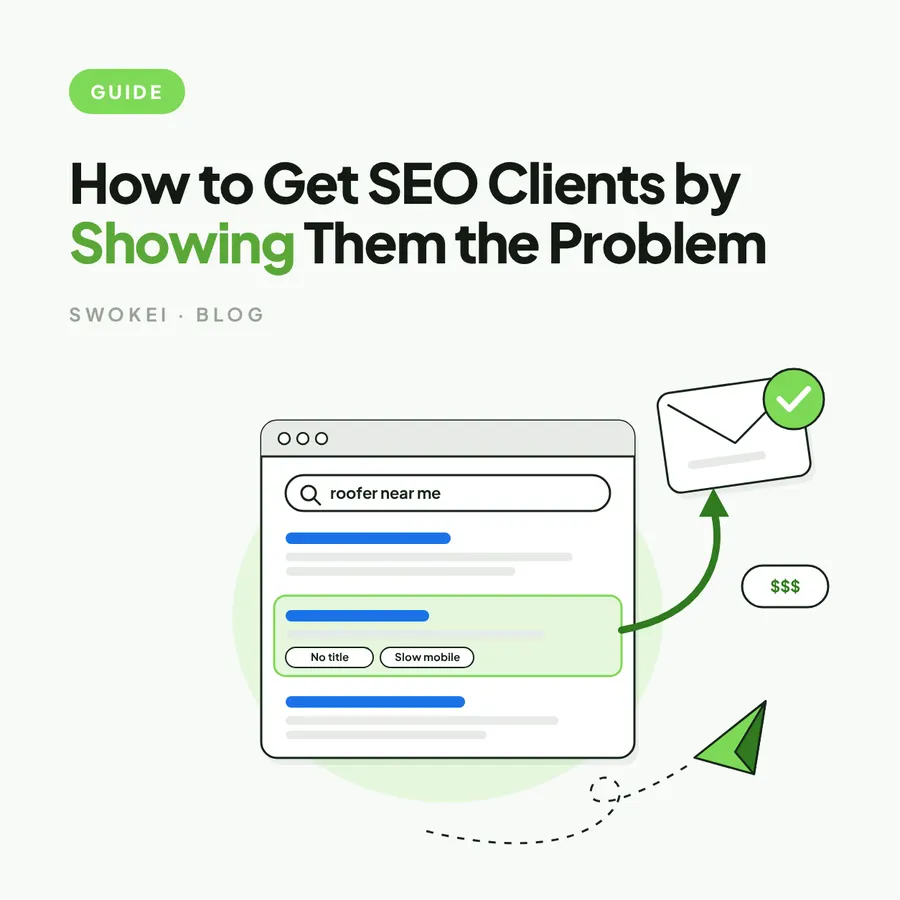
A lead tool tells you who to email, and a redesign tool has to tell you why that business should care this month. Most website redesign prospecting tools only do one of those jobs, which is why agencies end up with 4,000 contacts and an opening line that says little more than "noticed your website". The owner of a plumbing firm with a 6.8 second mobile homepage does not reply to a headcount filter. They reply to someone who has clearly looked at their site and found something they can check in ten seconds.
This comparison judges each tool by the part of redesign prospecting it actually covers: finding the right companies, deciding which of them have sites worth rebuilding, turning what is wrong into evidence, and getting that evidence into an inbox. Some of the tools below are excellent and still wrong for an agency, because they were built for SaaS sales teams or for in-house SEO work. Knowing which job each one does is the whole trick to building a stack that does not need a founder to glue it together every morning.
What website redesign prospecting tools have to prove
Redesign work is sold on observation, not on firmographics. A software company can email a prospect because the industry and team size fit, but a design agency has to answer a sharper question before the prospect asks it: why this site, and why now? A list of 300 companies with visible, checkable problems is worth more than 30,000 random domains, because only the first list gives every email a reason to exist.
That means the stack has to produce three things for every prospect. The first is fit, meaning a business in the niche, region and size band the agency actually serves. The second is a specific defect, such as a 3,400px hero image loading on phones, a call to action buried below three oversized blocks, or a contact page that returns a 404 from the main menu. The third is a message that frames that defect in terms the owner cares about, which is lost enquiries rather than layout theory.
The defect is the hard part, and it is where most stacks quietly fall back to vagueness. Running a single prospect through the free website analysis shows what a usable finding looks like: a measured mobile load time, missing meta descriptions, tap targets too close together, rather than a line saying the site could be more modern. If a tool cannot get to that level of specificity, it is a list builder, whatever its feature page says.
See what's wrong with any website in seconds
The free analysis checks speed, mobile and SEO, then shows what to say to the owner. No signup, no card.
The four jobs in a redesign prospecting stack
Every tool worth considering does one or more of four jobs. Sorting tools into these jobs makes comparisons fair, because it stops a sending platform being marked down for not auditing sites, or a crawler for not finding email addresses. It also shows where a stack has a gap that a person is currently filling by hand.
- Sourcing finds the companies and the decision makers, usually from a contact database filtered by industry, location and size.
- Qualifying decides which of those companies are likely buyers, using signals like an ageing CMS, a dead theme or traffic that suggests the site matters to the business.
- Evidence inspects the actual website and records the problems a prospect can verify for themselves: speed, mobile layout, SEO basics, broken pages.
- Delivery writes and sends the email from warmed mailboxes, handles follow-ups and keeps the sending domain out of spam folders.
Most agencies have sourcing and delivery covered and do evidence by hand, one browser tab at a time. That works for ten prospects a week and collapses at a hundred, which is exactly the point where a founder gets busy with client work and outreach stops. The tools below are grouped so that gap is easy to see.
The best website redesign prospecting tools, compared by job
Each entry covers what the tool is genuinely good at, where it stops being useful for redesign work, and which job it fills. None of these are bad products. The question is only whether they help an agency say something specific and true about a prospect's website.
Swokei: evidence and delivery in one workflow
Swokei is built for web design and digital agencies and starts with the prospect's website rather than the contact record. It analyses each site for design, SEO, speed and mobile problems, then turns the real issues it finds into personalised cold emails sent from the agency's own mailboxes. The email that goes out mentions the slow mobile homepage or the missing page titles on that particular site, because those findings are what the message is built from.
The fit is strongest for agencies that already believe cold email works but cannot spend twenty minutes auditing every prospect by hand. It replaces the evidence step and the writing step, which are the two that usually stall. It is not a general contact database, so an agency that only needs a bigger list of names will get more from a sourcing tool.
Apollo: broad sourcing for a known niche
Apollo is a large B2B contact and company database with filters for industry, headcount, location and technologies used, plus built-in sequencing. It is a strong sourcing layer when an agency knows its niche, such as dental clinics in two states or ecommerce brands under fifty staff, and needs names and verified addresses quickly. Its free plan is enough to test whether the data covers a given market.
Where Apollo stops is diagnosis. It can say a company exists and who runs marketing there, but it says nothing about whether the site loads in nine seconds or hides the phone number on mobile. Agencies weighing it against narrower options will find a fuller breakdown in this comparison of Apollo alternatives for design agencies.
BuiltWith and Wappalyzer: qualifying by technology
BuiltWith and Wappalyzer both detect the technology behind a website: the CMS, the ecommerce platform, the analytics, the page builder, the hosting. BuiltWith is the heavier of the two, with lead lists filtered by technology and history showing what a site used to run. Wappalyzer is lighter, best known as a browser extension that shows the stack of any page in one click, with lists and an API on top.
For redesign prospecting, these are qualifying tools. A list of businesses still on an end-of-life platform version, an abandoned theme or a page builder known for heavy pages is a better starting point than a raw industry list. The limit is that old technology does not prove a poor experience or a buyer ready to spend, so it gives a reason to look closer rather than a finished angle.
PageSpeed Insights: free, credible performance proof
Google's PageSpeed Insights is free and returns a Lighthouse lab test for any URL, plus real-user Core Web Vitals data where the site has enough traffic to be measured. Because the report comes from Google, a prospect is far less likely to dismiss a slow mobile score than a claim from an agency they have never heard of. Performance problems are also the easiest to explain to an owner, since everyone has abandoned a page that would not load.
The weakness is scale. Each test is one URL at a time, the scores vary between runs, and turning the output into a sentence an owner understands is still manual work. It is the right tool for checking a finding before a call, and the wrong tool for screening five hundred prospects.
Screaming Frog: deep audits for high-value accounts
The Screaming Frog SEO Spider is a desktop crawler that maps a whole site: broken links, redirect chains, duplicate and missing titles, thin pages and crawl depth. The free version crawls up to 500 URLs, which covers most small business sites. Its findings support a redesign pitch with an SEO angle, for example a site with forty pages all sharing the same title tag.
It is an operator's tool, not a sales tool. A thorough crawl and review takes real time per site, so it suits a shortlist of high-value accounts after a reply, not first-touch prospecting at volume. Agencies building an audit toolkit can compare it with the alternatives in this roundup of website analysis tools.
Similarweb: prioritising by traffic
Similarweb estimates traffic volume, traffic sources and engagement for a domain. That helps an agency avoid pitching a rebuild to a site nobody visits, and focus on businesses where the website clearly carries commercial weight. A site with steady traffic and a poor mobile experience is a stronger opportunity than a neglected brochure site with no visitors at all.
The estimates are less reliable for small local businesses, which are often the core market for redesign agencies. Similarweb is a prioritisation layer for mid-market targets rather than a source of website-specific proof. It answers whether the site matters, not what is wrong with it.
Clay: custom workflows for teams with an operator
Clay is a spreadsheet-style enrichment and workflow tool that pulls from many data providers, runs lookups in sequence and lets a team build custom prospecting logic. For redesign work, it can combine a technology filter, a traffic threshold and a contact lookup into one table. In the right hands it replaces several separate exports and copy-paste steps.
The trade-off is setup. Clay rewards someone who enjoys building workflows and maintaining them, and it can become a project in its own right for a five-person agency without that person. It also still depends on something else to inspect the website and produce the actual finding.
Loom, Hunter and a sender: the supporting cast
Loom records quick screen videos, and a sixty-second teardown of a prospect's homepage can win a reply that a text email did not. It works best as a follow-up or for a handful of top accounts, because recording custom videos for every first touch does not scale. Hunter finds and verifies email addresses from a domain, which fills a contact gap when a site has no named owner.
A sending platform such as Instantly handles mailbox rotation, warmup and follow-ups at volume. It makes delivery cleaner but does nothing for the message itself, so a weak first email simply goes out to more people. Anyone choosing a sender for design outreach specifically can start with this look at an Instantly alternative for design agencies.
Weighing up tools?
Honest comparisons with the tools agencies already use, including where they beat Swokei.
Where general prospecting software falls short for redesign work
General outbound platforms answer the question of why this prospect with firmographic logic. The industry fits, the headcount fits, the company recently hired a marketing manager. Those signals can support an email, but none of them justifies a conversation about rebuilding a website.
A redesign-led workflow answers with something the owner can verify. The mobile homepage takes 6.8 seconds to show anything, the phone number is an image that cannot be tapped, and the booking button sits below a slider that never finishes loading. The difference between those two approaches is the same one covered in this piece on generic versus personalised outreach, and it shows up directly in reply rates.
The cost of the general approach is usually hidden in hours. One tool for data, one for audits, one for writing and one for sending works perfectly as long as somebody stitches them together every day. When client work gets busy, that somebody stops, prospecting dries up, and the subscriptions keep billing.
How to test tools on the same 50 domains
Feature pages all claim personalisation, so the only fair comparison is a side-by-side run. Take 50 domains from the exact niche the agency sells to, push the same batch through each candidate workflow, and keep the results in one sheet. A week of this tells you more than a month of demos.
What to measure in the trial
Count how many of the 50 produced a specific, verifiable finding, and how many produced only a generic line. Time the whole run from raw domains to send-ready drafts, including every export and copy-paste step a person had to do. Then count how many drafts a founder would send with light edits, because a tool that saves research time but needs every email rewritten has only moved the work.
Finally, read each draft as the owner of that business would. If the email claims a slow site, open the site on a phone and check, and if it mentions missing titles, view the source. Any tool whose findings fail that check will damage the agency's credibility faster than sending nothing, and the list of website issues that actually drive replies is a useful filter for which findings are worth leading with.
How to choose the right redesign prospecting stack
Choose by bottleneck, not by feature count. If the agency is short of names, start with Apollo and a technology filter such as BuiltWith or Wappalyzer. If the agency has names but its emails sound like everyone else's, the gap is evidence and writing, and more contacts will not fix it.
Most agencies need the shortest path from a target account to a credible email, which usually means one lead source, one evidence layer and one delivery workflow. Anything beyond that should earn its place in the 50-domain test. A useful bar is whether the team can go from a raw list of domains to a personalised campaign on the same day without audit fatigue.
The fastest way to see whether evidence is the missing layer is to take one real prospect from the current list and run it through the website analyser, with no signup and no email required. If the findings that come back are more specific than the opening line the agency is sending today, the stack needs an evidence step before it needs more data. Plans and credit costs for running that at volume are on the pricing page.
Run it on a real site before your next pitch
Analyse a prospect's site for free, or start free and let Swokei write the email from what it finds.