It reads the site, scores it, and writes the email.
Swokei opens every lead's website in a real browser, critiques it across design, SEO, responsiveness and speed, rolls that into a 0-10 score, and drafts a personalized email about what it actually saw.
- Headless Chrome opens every URL fully rendered
- A 0-10 score with a circle for each category
- Weak sites rise to the top, polished ones get skipped
- Findings flow straight into the email it writes
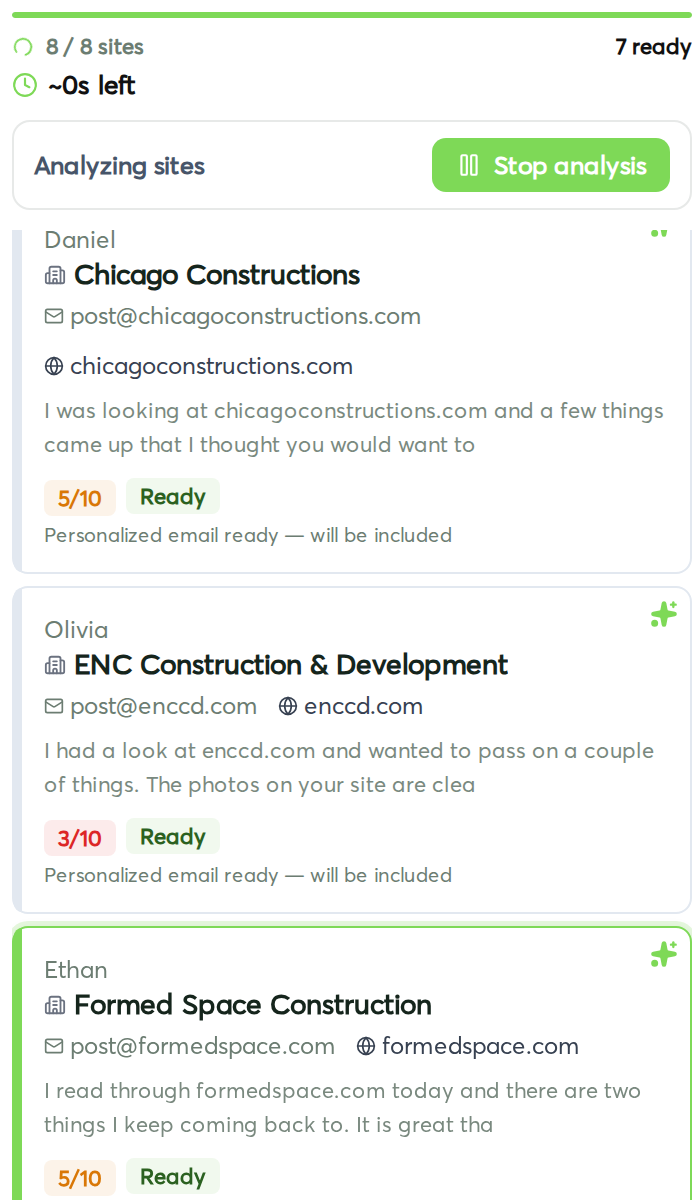
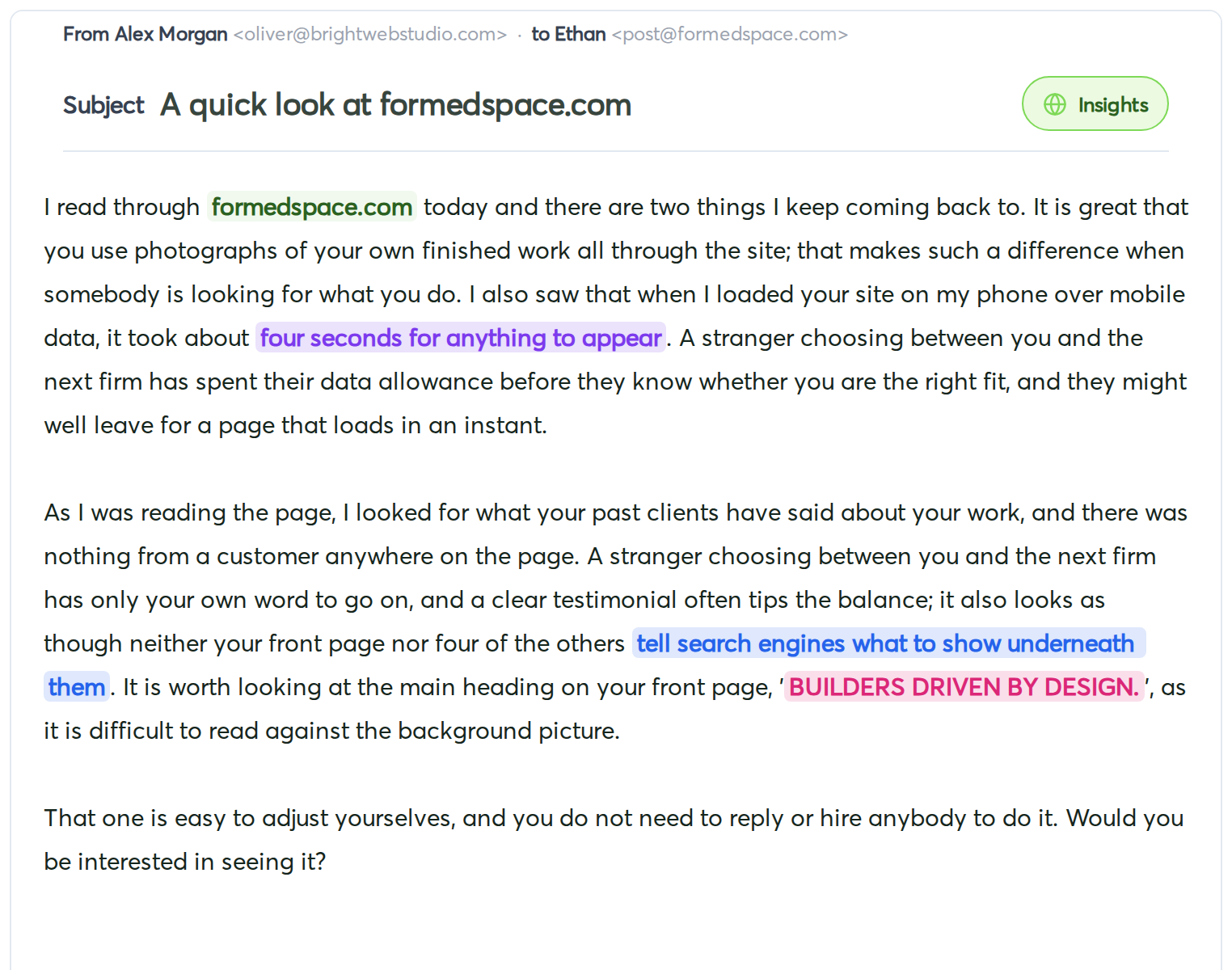
It's the same review a senior designer would do, except it runs in parallel across your whole list, scores each site so you know where the opportunity is, and writes the email tied to what it found — all in one pass.
Every URL opens in a headless Chrome, fully rendered. Swokei reads layout, hierarchy, copy, CTAs and mobile rendering the way your prospect sees them — specific findings, not vague feedback.
Design, SEO, responsiveness and speed each get their own 0-10 circle, and they roll up into one headline score. Every number has findings behind it — no score with nothing to show for it.
Set a threshold. Sites above it are too polished to pitch a redesign to and get skipped. Everything below rises to the top of your list, so you work the real opportunities first.
What Swokei looks at, and what the score is built from.
Far more than a Lighthouse number. Each audit reads the page like a designer would, top to bottom, and every finding lands in one of four category scores you can drill into.
Layout, visual hierarchy, spacing, contrast and CTA prominence. Dated heros, buried value props and pages where the most important element doesn't visually win all pull the design score down.
Titles, meta descriptions, heading structure and the basics that decide whether the page can be found. Thin or missing tags show up as a weak SEO score with the exact gaps listed.
Tested on a real mobile viewport. Tap targets, font sizes, layout shifts and anything that breaks below 768px is called out and counted against the responsiveness score.
Time to first paint, time to interactive and total page weight. Slow pages get flagged with the specific assets that are costing the most, and it feeds the speed score.
The four categories roll into a single 0-10 number on every lead, but you can open any site and see exactly where the points came from — and the notes behind each one.
Drag the quality slider in the campaign Rules tab. Sites at or above your cutoff are excluded as too polished; lower it for a more aggressive filter. Your list re-sorts by opportunity automatically.
How it works
Import a CSV or spreadsheet, paste rows, or let Swokei find the businesses for you. It needs at least a website per row. Map any extra columns once and they're available as variables in your emails.
A fleet of headless Chrome instances renders each lead's website in parallel — JavaScript executed, fonts loaded, images shown. It sees the page, it doesn't just scrape the HTML.
The page is evaluated across design, SEO, responsiveness and speed. Findings are extracted, each category gets a 0-10 circle, and those roll up into one comparable score per site.
Sites above your threshold are skipped as too polished. Everything below rises to the top, so the biggest opportunities sit first instead of alphabetical order.
The most relevant findings feed the writer, which references them naturally. Every email reads like it was written after a five-minute look at the site. You review, then send.
Live in every Smart Site Outreach campaign automatically. Start a campaign, drop in your list, hit analyze — Swokei reads each site, scores it, and writes the email in one pass. Set the quality threshold in the Rules tab.
Costs 1 credit per website analyzed, and scoring is part of that same pass — you don't pay separately for it. Bulk packs and monthly allowances on every paid plan. The first 20 are free, no card required.
Agencies that let Swokei do the outreach
The main thing I like is that the emails actually have something relevant to say. Instead of sending the same pitch to everyone, I can mention their design, SEO or mobile experience without doing the research manually.
Great tool. I'd recommend Swokei to any web designer looking to get more web design clients.
We were already doing outreach for our web design company, but most of the time we were guessing what to say. Now we let Swokei analyze business websites, find real issues, and turn them into personalized emails we can still send at scale.
We run a small web design agency and outreach has always been one of those things we know we need to do but never had enough time for. Swokei made it much easier to keep it consistent.
We send far more outreach than before and it's more personal, not less. That combination just didn't exist for us until this.
One of my employees kept telling me to give Swokei a try. I was pretty skeptical at first, but after using it for a while, it quickly became part of our daily outreach.
Ready to take control of your outreach?

Reads every prospect's site and writes the outreach that lands you the work.