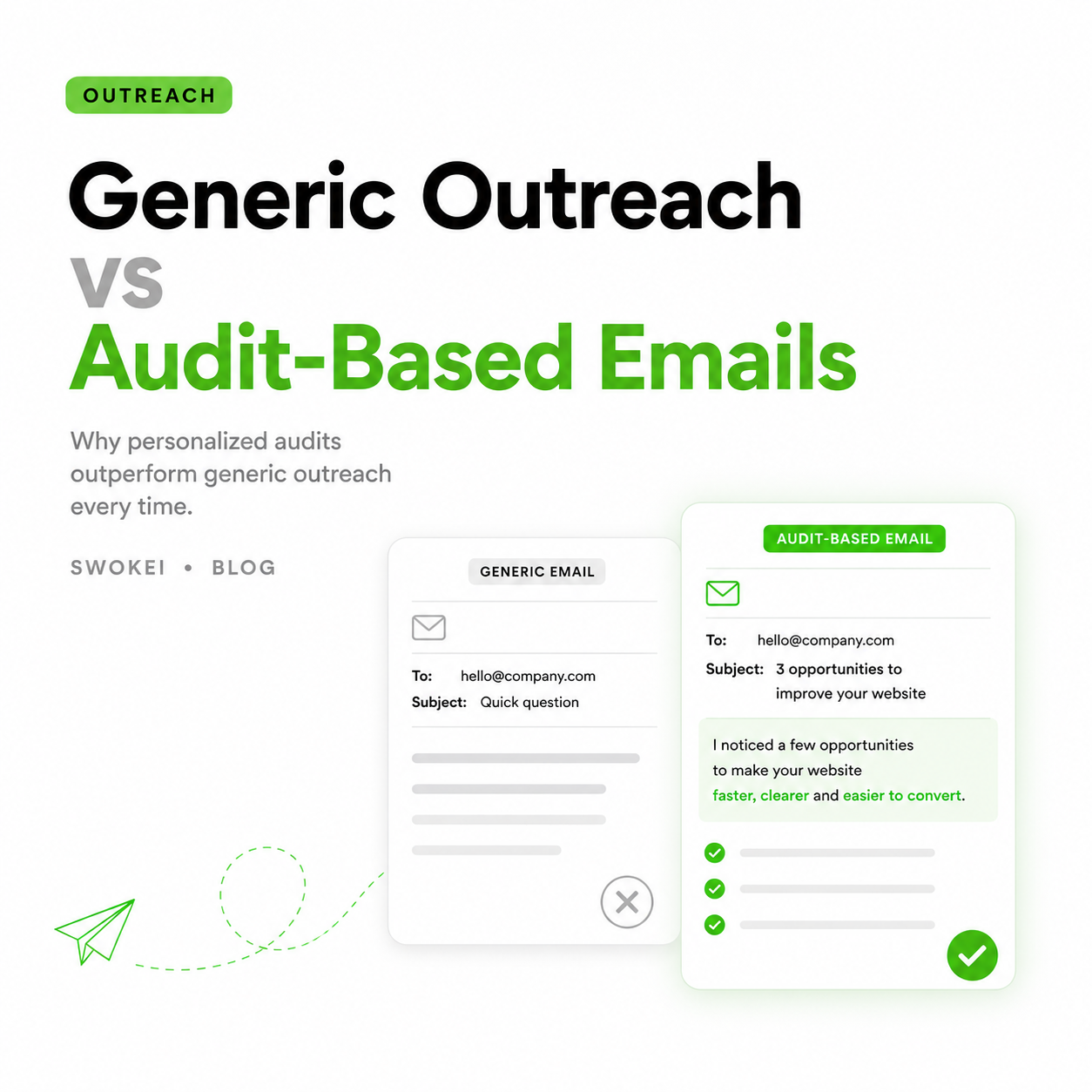
Most cold outreach for redesign services fails before the second sentence. The message is generic, the claim is vague, and the prospect has no reason to believe you looked at their site. Website flaw detection software changes that fast. Instead of guessing what might be wrong, you can lead with specific issues a prospect can verify on their own homepage, mobile layout, or load performance.
For web design agencies and outbound teams, that difference matters because relevance is what gets replies. A prospect will ignore another "we help brands improve their online presence" email. They are more likely to respond when you point out that their hero text breaks on mobile, their first contentful paint is slow, or key navigation elements are buried below the fold. That is not fluff. That is evidence.
What website flaw detection software actually does
At its best, website flaw detection software scans sites for visible, measurable issues that affect user experience, performance, accessibility, and conversion potential. It can flag slow mobile load times, layout inconsistencies, missing metadata, weak hierarchy, contrast problems, broken elements, and other flaws that make a site feel dated or underperforming.
That sounds straightforward, but the real value depends on what happens after the scan. Some tools are built for developers fixing technical issues in production. Others are built for marketers auditing conversion gaps. For agencies doing outbound sales, the useful category is narrower. You do not just need a list of problems. You need findings that can be turned into credible outreach without hours of manual review.
That is where many tools fall short. They produce dense reports filled with scores, warnings, and jargon, but not much that helps an SDR or agency founder write a strong first-touch email. If the software tells you a site has 63 issues but does not help you explain which ones matter commercially, the workflow still breaks.
Why agencies need a different kind of flaw detection
If your goal is outbound lead generation, the job is not simply to audit websites. The job is to start conversations with businesses that have a reason to consider a redesign, rebuild, or UX improvement. That means the software has to support sales relevance, not just diagnostics.
A useful finding is one that can carry an email opener on its own. "Your mobile menu overlaps the CTA on smaller screens" is useful. "There are render-blocking resources" might be useful, but only if the audience will understand why it matters. "Accessibility score is 78" is usually too abstract unless it is paired with a visible issue and a business consequence.
The best software for this use case helps teams move from detection to messaging quickly. It turns flaws into prospect-specific talking points. It reduces the time between sourcing a domain and sending a personalized email. And it gives account managers or SDRs enough confidence to sound informed without doing a 20-minute teardown on every lead.
The features that matter in website flaw detection software
For agencies, speed without precision is risky, and precision without speed is expensive. Good website flaw detection software needs both.
Start with analysis quality. The software should catch issues that are visible, relevant, and easy to reference in outreach. Mobile responsiveness, page speed signals, UX friction, weak content structure, visual inconsistency, and trust-reducing design flaws tend to work well because prospects can recognize them quickly.
Next is output clarity. A long technical audit is not helpful if your team needs to send 100 well-targeted emails this week. The findings should be easy to read and easy to turn into plain-English copy. If the software surfaces a problem, it should also make the implication obvious. What is broken, where it appears, and why it matters should not require translation.
Then there is scale. Manual audits can work for a handful of dream accounts. They break when you need to work through hundreds or thousands of domains. The right system should let you process large batches without turning your pipeline into a research project.
Finally, workflow fit matters more than most buyers expect. If the software lives in one tab, your lead list in another, your notes in a spreadsheet, and your outreach platform somewhere else, you create friction at every step. That friction is where personalization dies.
What to watch out for when evaluating tools
A lot of website analysis tools were not built for agencies selling redesign work. That does not make them bad. It just means they may solve the wrong problem.
Some are too technical. They are excellent for engineering teams improving production performance, but the output is too dense for prospecting. Others are too surface-level. They give broad site scores or generic recommendations that sound polished but do not create strong outreach angles.
There is also the screenshot problem. Some tools identify issues in a way that looks impressive in a dashboard but is hard to verify in live browsing. If your outreach claims do not hold up when the prospect checks their own site, credibility drops fast.
And then there is false urgency. Not every flaw is worth leading with. A missing alt attribute may matter in an accessibility audit, but it is not always the best opening line for a cold email to a local business owner. You need software that helps you prioritize flaws with commercial weight, not just technical completeness.
How website flaw detection software improves reply rates
The reply-rate benefit comes from one thing: specificity. When your email references an actual issue on the prospect's site, you are no longer asking them to imagine a problem. You are showing one.
That changes the feel of the message. It sounds less like prospecting and more like observation. It lowers the prospect's effort because they do not need to decode a generic pitch. They can look at the site, see the issue, and decide whether the conversation is worth having.
It also gives your team a stronger position in follow-up. If the prospect replies with "What did you notice?" you already have a concrete answer. If they say "We just rebuilt the site," you can respond with a specific point instead of backing into general agency talk. Better inputs create better conversations.
Still, this is not automatic. Badly used flaw detection software can produce robotic outreach just as easily as generic templates do. If every email follows the same formula and swaps in one issue, prospects will feel it. The software gives you raw material. Your team still needs judgment.
A practical workflow for agencies
The most effective setup is simple. Start with a targeted list of businesses that match your service profile by industry, size, geography, or site quality. Run those domains through website flaw detection software that surfaces visible, commercially relevant issues. Review the top findings, keep the strongest one or two, and build outreach around them.
The email should not read like an audit report. It should read like a sharp observation from someone who understands websites and knows why the issue matters. Short, specific, and tied to business impact usually wins. You are not trying to prove everything wrong with the site. You are trying to earn the reply.
This is also where integrated workflows matter. If your software can source leads, analyze sites, and turn findings into personalized outreach copy in one process, your team can move faster without sacrificing relevance. That is very different from stitching together five tools and hoping the handoff does not ruin the message.
For agencies running outbound at volume, that operational difference is the whole story. The bottleneck is rarely finding companies with weak websites. The bottleneck is turning those weaknesses into accurate, personalized messaging before the team runs out of time.
The best use case is not every use case
Website flaw detection software is strongest when you sell services tied directly to site quality - redesigns, UX improvements, conversion work, accessibility updates, performance fixes, brand refreshes, and digital presence upgrades. In those cases, the flaw is the reason for the conversation.
It is less effective if your offer is only loosely connected to the website. If you sell a broad marketing retainer or a service the site does not clearly reflect, the findings may help with personalization but they will not carry the pitch on their own.
That trade-off matters when choosing software. The closer your offer is to visible website improvement, the more value you will get from precise flaw detection and outreach-ready outputs.
If that is your model, the smart move is to use a system built for that exact workflow rather than forcing a generic audit tool into a sales process it was never designed to support. Swokei is built for that gap - from website analysis to personalized outreach in one flow - and you can try it with 20 free credits, no credit card required. The real advantage is not finding more flaws. It is turning the right flaws into conversations that actually go somewhere.